Link in Bio for YouTube: How to Add and Monetize Your Chirp Link
How to
Link in Bio for YouTube: How to Add and Monetize Your Chirp Link
Quick answer: To add a link in bio for YouTube, paste your Chirp link into your channel Links (Customize Channel > Basic Info > Links) and at the top of your video descriptions and pinned comments. With Chirp, that same link also earns passive income from every visitor through audience-matched ads, so you monetize traffic you already have.
YouTube is built for creators who want to go big. But views and subscribers are only part of the picture. If viewers land, watch, and then disappear, you are leaving the moment on the table.
A smart link in bio for YouTubers changes that. The right link sends viewers somewhere that rewards their curiosity and creates new income in the process. Instead of scattering links across videos and hoping people follow the trail, you point them to one clean, reliable destination. Set that destination up with Chirp and it does more than organize. It pays you.
Where to put your link in bio on YouTube
YouTube gives creators two main places to feature a link: the channel homepage and inside each video. Both matter, and both work better with the right setup.
Add your Chirp link to your channel banner
Your channel links live in the bottom right corner of your banner on desktop. Here is how to add yours:
Click "Customize Channel"
Open "Basic Info"
Scroll to the section labeled "Links"
Paste your Chirp link into the first available slot
Give it a clear name like "All My Links" or "Free Resources"
Keep one or two visible links for a clean layout
That is it. Your link now shows up everywhere your banner does. Whether someone is watching your trailer or browsing playlists, they are always one click away from a page that earns for you.
Add your link to video descriptions and pinned comments
This is where most engagement happens. Descriptions get scanned. Pinned comments get tapped. Treat both like your personal billboards.
Place your Chirp link at the top of the description with a short, direct call to action, for example: "Where to find me: [your Chirp link]." Then repeat it as a pinned comment. Viewers watching full screen or on mobile are more likely to tap a comment than dig through the description, and it reinforces the habit of clicking your link to keep going.
How to monetize your link in bio on YouTube
Figuring out how to monetize link in bio traffic is usually a headache. Copyright claims, limited ad eligibility, and shifting platform rules make it hard to earn consistently on YouTube alone.
A Chirp link sidesteps all of that. It pays you for the traffic you already get, without asking your viewers to buy or even click anything extra. One visit to your Chirp link is enough to start earning.
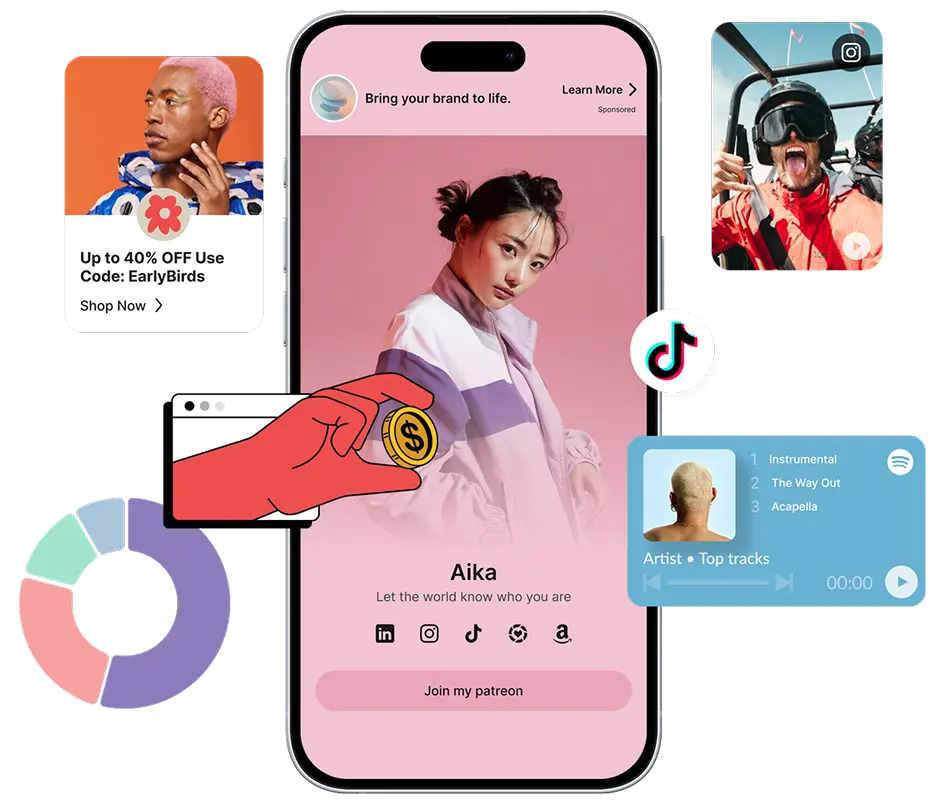
How it works: every Chirp link runs audience-matched ads quietly in the background. They are subtle, relevant, and working 24/7 to turn attention you already earned into real revenue. To see which links and offers actually convert, check what your dashboard tells you and adjust from there.
Why YouTube creators need a better link
Every view, every new subscriber, every second of attention takes real work to earn. So why send people who are already engaged to a dead end?
Most creators link to one product, one video, or one website. The problem is that one thing rarely fits every viewer. Someone might be ready to buy. Another wants to read, save, or subscribe. If the link they tap does not give them options, they bounce.
With one Chirp link you can hold all of it:
Your free resources
Your top-performing content
Your paid offers and digital products
Your social handles and affiliate links
The layout stays clean, fast, and mobile-ready, with no extra work for you. This kind of audience-first setup is exactly what keeps people around instead of scrolling away, a shift we cover in why users are logging off.
What to feature on your Chirp link
Think of your Chirp link as a trailer for your whole brand. It gives people a quick overview of what you offer and a clear next step.
A film critic might link their Letterboxd reviews, editing setup, affiliate links for their gear, and a subscriber-only list of overlooked thrillers.
A true crime creator might link their podcast, timeline PDFs, affiliate links for products fans keep asking about, and quick recaps of each case.
A lifestyle creator might link their Amazon storefront, meal plan download, latest brand collab, and a free lead magnet to grow their email list.
Whatever you choose, keep it skimmable and lead with what your audience already wants.
This strategy compounds over time
The more videos you publish, the more value your link holds. Every new upload points to the same page, so traffic compounds with each post. Older videos keep earning without updates, offers stay current without rewriting every description, and viewers get used to clicking and coming back.
It also frees up your content. No more shouting out six links in every outro. Say it once, make it clear, and move on.
Why creators choose Chirp
There are plenty of link in bio tools for YouTubers, but most stop at organizing links. Chirp is built for creators who want to grow and earn without managing a tech stack.
No cost to get started
Built-in monetization from passive ad income
Easy uploads for digital products, freebies, and guides
Fast load times that keep bounce rates low
Clean design that looks right on mobile and desktop
Analytics that show what people click and where they go
Your YouTube link should not live alone. The same Chirp link works in your other bios too, so your whole audience lands in one place. Once you have it set up here, add it to your other profiles, starting with how to add a link to your X profile.
Make every viewer count
Your videos already bring people in and your content already delivers value. Without a link that captures that attention, the value fades. Set up your Chirp link in a few minutes. Add it to your banner, your descriptions, and your pinned comments.
Then start earning from YouTube clicks, beyond the algorithm.
Ready to boost your earnings?
Creator, blogger, artist, doesn't matter. Drop your links, share your vibe, and tap into a new revenue stream.
Frequently asked questions
What is the best link in bio for YouTube?
The best link in bio for YouTube is one that both organizes your links and earns from your traffic. Chirp does both. It holds all your links on one fast, mobile-ready page and runs audience-matched ads in the background, so every visitor can generate income without extra steps from your viewers.
How do I add a link in bio on YouTube?
Go to Customize Channel, open Basic Info, scroll to Links, and paste your Chirp link into the first slot with a clear name like "All My Links". Also place it at the top of your video descriptions and as a pinned comment so viewers can find it inside every video.
How do I monetize my link in bio?
Set up a Chirp link and share it in your banner, descriptions, and pinned comments. Every time someone opens your Chirp link, it runs audience-matched ads behind the scenes and pays you for that traffic. Your viewers do not need to buy anything for you to start earning.
Is a Chirp link free to set up?
Yes. You can create your Chirp link for free and start earning from your existing traffic without a monthly cost.
More to read
Keep Reading
Discover more insights, tips, and stories to help you on your journey. Dive into our curated articles and resources designed to inspire and inform.