Log In As
Get Started FreeGet Started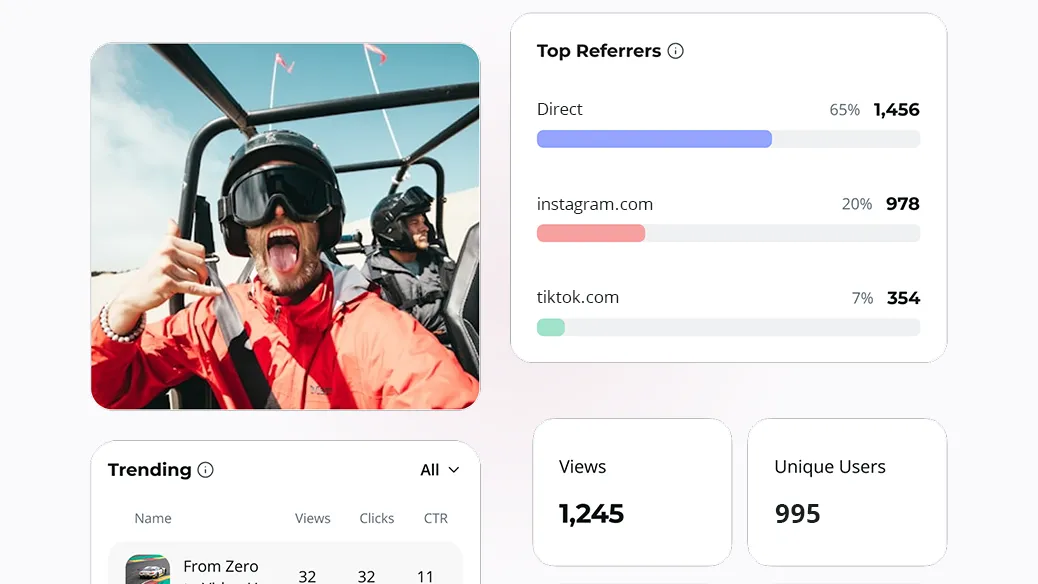
CHIRP ONBOARDING
BIO LINK DASHBOARD
Step one done: Now what?
Now it’s dashboard time. Your dashboard becomes your command center. See how your content’s performing, what’s getting clicks, and how close you are to earning.
Traffic, clicks, and earnings (if you qualify for monetization). You’ll see exactly how your content is performing, and what’s driving results.
Related: How to Qualify for Earnings
Watch the video above for the full walkthrough of the Chirp Dashboard. Here’s a quick preview of what Reece covers in the video:
- Track your stats: See where your audience is coming from, what they’re clicking, and how much ad revenue you’re generating (if eligible).
- Manage your bio links: Running multiple URLs? Switch, edit, or remove any of them directly from your dashboard.
- Add products: Link out to affiliate products or your own merch—just add a URL, image, price, and title to turn your bio link into a storefront.
- Set up payments: With the right engagement, your Chirp bio link can start generating extra income effortlessly.
- Already live? Great. Now let your dashboard help you grow.
Keep Reading
Discover more insights, tips, and stories to help you on your journey. Dive into our curated articles and resources designed to inspire and inform.